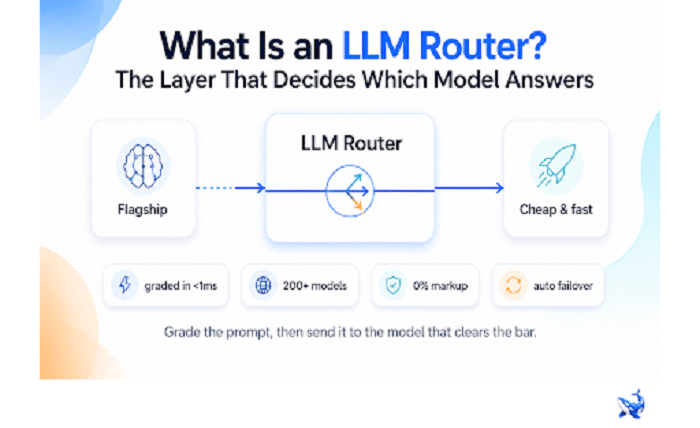
An llm router is a thin layer between your application and every model provider — it decides which model answers each request. OrcaRouter routes to whichever model clears the bar — like GPT-5.6 Terra for high-volume work — automatically; this piece is the plain-English version of what the category is, why it exists, and how to tell it apart from a plain API proxy.
Here’s the moment it stops being an abstract idea: you just shipped a feature that calls one model, and now a second model does that job better, a third does it cheaper, and a fourth answers faster. Each one ships its own key, its own quirks, and its own failure mode. Hard-code the wrong one and you’re overpaying, shipping slow replies, or handcuffed to a provider you can’t leave. An LLM router is the layer that makes “which model” a decision the system makes per request instead of a decision you locked in at deploy time.
What an LLM router actually is
An LLM router is a single entry point for model traffic. Every request from your application lands there first; the router decides which model should handle it, forwards the call, and returns the response to you. From your code’s point of view, it’s one endpoint and one API key. From the routing layer’s point of view, each request is a fresh opportunity to pick the right model rather than the default one.
That’s the whole job, and it’s a small one on purpose. A router doesn’t train models, evaluate prompts, or run your agent’s loop. It answers a single question as fast as possible: who answers this one?
The scale of the choice is why the question is worth asking. A router worth using sits in front of models from every major provider — OpenAI, Anthropic, Google, Meta, Mistral, xAI, DeepSeek, Qwen, GLM, MiniMax, and others [OrcaRouter]. OrcaRouter, for example, exposes 200+ models behind a single API key [OrcaRouter]. One endpoint, one credential, and the full catalog to route across.
Why the category exists
A decade ago there was effectively one model worth calling, so there was nothing to route. Today the market fragments in three directions at once:
- Quality. A new frontier model keeps raising the ceiling — and it’s expensive.
- Cost. A mid-tier model produces most of the output for a fraction of the price.
- Speed. A small model returns in milliseconds what the flagship takes seconds to think through.
No single model wins all three, and the ranking shifts every few months. Teams that pin their product to one pick are forced to re-architect every time the leaderboard moves. The category exists because “one model” stopped being the sane default: many models, one interface, and a per-request tradeoff between quality, cost, and latency.
How routing works: grade first, then send
The mental model is a quality bar with a price tag. When a request arrives, the router grades the prompt against the policies you set — how hard is this task, how good does the answer need to be, how fast does the user need it — then sends it to the cheapest model that clears the bar. Hard requests go to the expensive model; easy requests never touch it.
The grading step is what makes routing different from a coin flip, and it’s why the whole design lives or dies on speed. In OrcaRouter’s adaptive routing, each prompt is graded in under 1 millisecond before the router picks the target model [OrcaRouter]. The router’s own overhead has to be invisible next to the seconds a model spends generating; if grading cost you real latency, you’d be better off picking a model yourself.
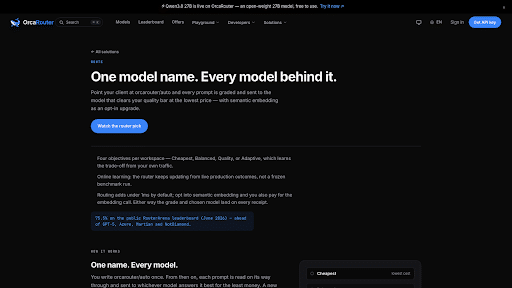
OrcaRouter ships this as the orcarouter/auto routing mode: you set the quality threshold once, and the router moves traffic between expensive and cheap models automatically [OrcaRouter]. That automatic movement is the entire value proposition — you keep the best-case quality and the best-case bill without managing either by hand.
What you get out of it
Four things, in rough order of how often teams cite them:
Cost. Routing means easy prompts stop paying flagship prices. And because a good router is transparent about pricing, you don’t trade one hidden bill for another. OrcaRouter passes provider list prices through at 0% markup — the vendor price, nothing added, with per-request receipts [OrcaRouter].
Latency. A fast model handles the bulk of traffic that doesn’t need deep reasoning; only the hard cases wait on the flagship. Users feel the difference in every reply.
Availability. When a provider degrades or a model times out, automatic failover reroutes the request to the next model that can answer [OrcaRouter]. Your app keeps working even when a vendor doesn’t.
No lock-in. Because traffic flows through one interface, switching models — or adding a new one — is a config change, not a rewrite. You stop paying the switching tax that keeps teams parked on models they’ve outgrown.
Router vs. proxy: what’s the difference?
A proxy forwards traffic; a router decides. Both sit in the middle, but they answer different questions. A plain API proxy is a pass-through: it maps your request to a provider and relays the bytes, with maybe some rate limiting or logging bolted on. It doesn’t evaluate your prompt or choose the model — that’s a decision you make in code, before the proxy ever sees the request.
| API proxy | LLM router | |
| Chooses the model per request | No — you pick in code | Yes — grades the prompt first |
| Moves traffic between cheap and expensive models | No | Yes, automatically |
| Failover on provider outage | Manual or not at all | Automatic |
| What your code sees | One endpoint, but you still manage providers | One endpoint, one key, routing handled |
| Pricing visibility | Depends on the proxy | 0% markup with per-request receipts [OrcaRouter] |
The practical test is simple: if removing the layer leaves your code still deciding which model to call, you have a proxy. If removing it would leave your app with no way to pick a model at all, you have a router.
The takeaway
An LLM router is for teams that call more than one model — or expect to soon — and don’t want to hand-manage the tradeoff between quality, cost, and latency on every request. It’s a poor fit if you run exactly one model on exactly one provider and plan to stay there; the layer only pays for itself once there’s something to route between. The middle is where it earns its keep: a router that grades each prompt in under a millisecond, fails over automatically, and passes provider prices through at 0% markup [OrcaRouter] turns “which model” from a maintenance chore into a policy you set once.
Sourcing note: All product facts — one API key for 200+ models, the provider list (OpenAI, Anthropic, Google, Meta, Mistral, xAI, DeepSeek, Qwen, GLM, MiniMax), 0% markup pass-through pricing with per-request receipts, prompt grading in under 1ms, automatic failover, and the orcarouter/auto routing mode — come from the OrcaRouter homepage and product pages, checked August 22, 2026. No third-party benchmark figures are used in this article.